
Create an email forwarder in cPanel

Step 1: Click on forwarder’s icon
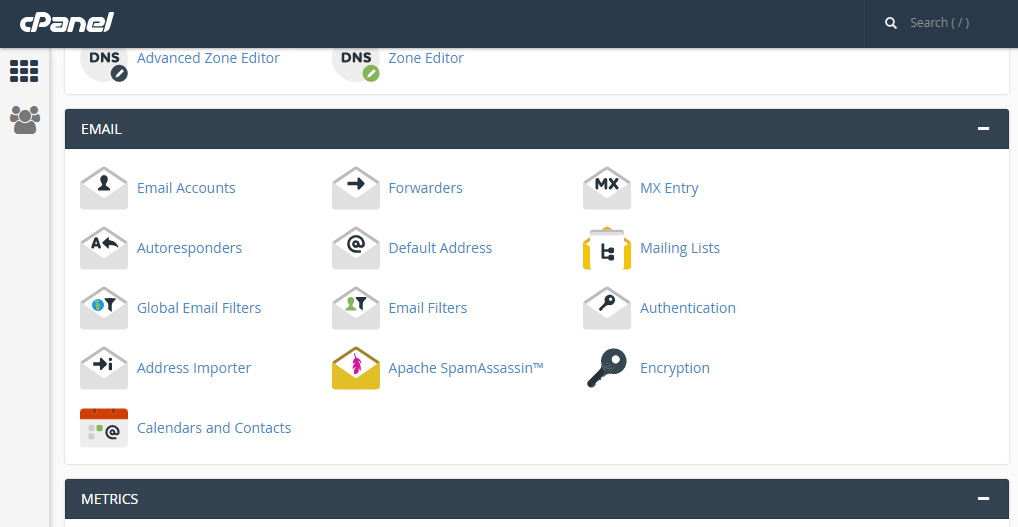
 

Step 2: Click on add forwarder

Step 3: Add the email id that has to to be forwarded along with the domain name

Step 4: In the destination tab, add the email where the forwarded  mail should be copied and click on 'add forward'

All the emails will be forwarded to the destination mail.


  • 0 Користувачі, які знайшли це корисним
Ця відповідь Вам допомогла?

Related Articles

CREATE CUSTOM ERROR PAGES IN CPANEL

Step 1: On the Home screen of the cPanel, Click on the ‘error pages’ under ‘Advanced’ tab...

CREATING FOLDER IN SQUIRRELMAIL

Step 1: After logging into ‘squirrelmail’ on the home screen, click on ‘Folders’ option.   Step...

CREATING A DOMAIN ALIAS IN CPANEL

A domain alias is useful when there are additional domain names and you want to make your website...

SETUP AN AUTORESPONDER IN CPANEL

Step 1:Click on Auto-responder icon on your home screen   Step 2: Click on ‘add Autoresponder’...

Creating an auto-responder for a specific time period in cPanel

Step 1: Click on auto-responder icon on the home page      Step 2: Time period can be set by...