
Create an email forwarder in cPanel

Step 1: Click on forwarder’s icon
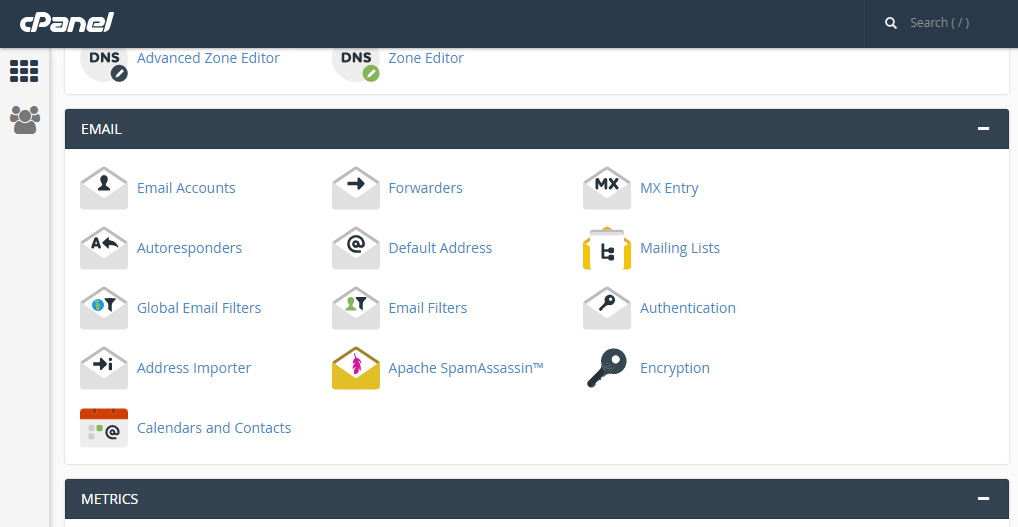
 

Step 2: Click on add forwarder

Step 3: Add the email id that has to to be forwarded along with the domain name

Step 4: In the destination tab, add the email where the forwarded  mail should be copied and click on 'add forward'

All the emails will be forwarded to the destination mail.


  • 0 användare blev hjälpta av detta svar
Hjälpte svaret dig?

Related Articles

TO SEARCH FOR MESSAGES IN ROUNDCUBE

Step 1: On the home screen of Roundcube. Click on the create message icon.   Step 2: Create or...

CREATING FOLDERS IN HORDE

Step 1: After logging into the Horde webmail, click on the ‘Mail’ link   Step 2: Click on the...

EDIT YOUR PERSONAL INFORMATION IN HORDE

Step 1: After logging into Horde webmail, click on the ‘options’ click. Step 2: Click on the...

CREATE A MYSQL DATABASE IN CPANEL

Step 1: After logging into cPanel, on the Home Screen. Click on ‘MYSQL Database Wizard’...

CREATE A SUBDOMAIN IN CPANEL

Step 1: On the home screen of the cPanel, click on ‘Sub Domain’     Step 2: Enter the prefix...