
Create an email forwarder in cPanel

Step 1: Click on forwarder’s icon
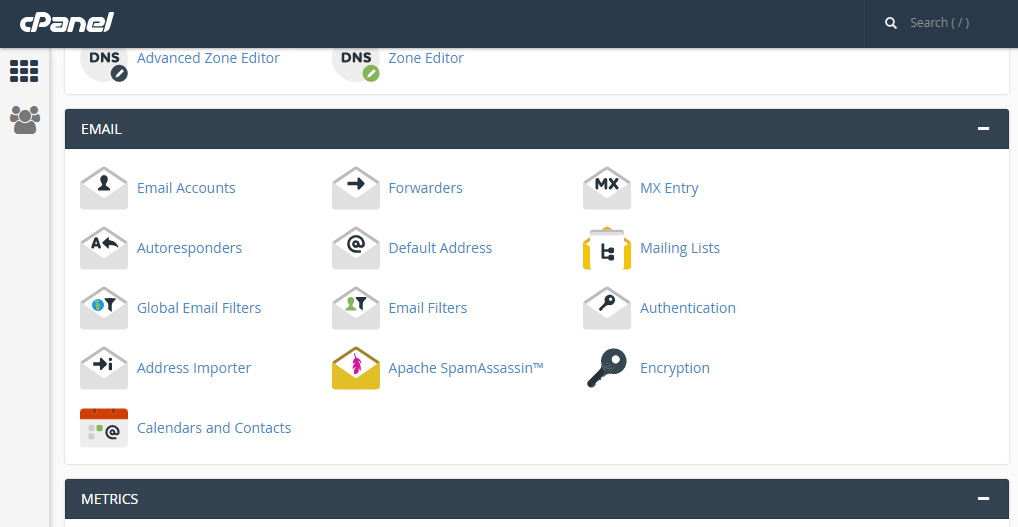
 

Step 2: Click on add forwarder

Step 3: Add the email id that has to to be forwarded along with the domain name

Step 4: In the destination tab, add the email where the forwarded  mail should be copied and click on 'add forward'

All the emails will be forwarded to the destination mail.


  • 0 Корисниците го најдоа ова како корисно
Дали Ви помогна овој одговор?

Related Articles

Create Folders in Roundcube

Step 1: After loging into Roundcube webmail, click on the ‘Personal settings’ link     Step 2:...

CREATE A MYSQL DATABASE IN CPANEL

Step 1: After logging into cPanel, on the Home Screen. Click on ‘MYSQL Database Wizard’...

Changing email account password in cPanel

Step 1: Log-in to cPanel Step 2: On the home screen click on Email Accounts.     Step 3:...

EXPORT CONTACTS FROM HORDE

Step 1: After logging into Horde webmail, click on the ‘Address Book’ icon Step 2: Click on...

MODIFYING FOLDER PREFERENCES IN SQUIRREL MAIL.

Step 1: After logging to the squirrelmail on the home screen, Click on ‘Options’.       Step...