
Create an email forwarder in cPanel

Step 1: Click on forwarder’s icon
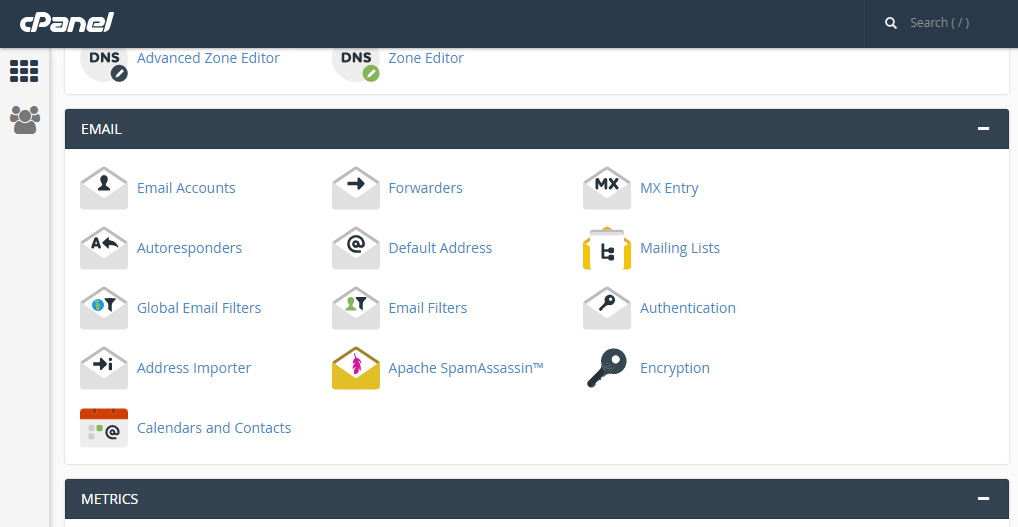
 

Step 2: Click on add forwarder

Step 3: Add the email id that has to to be forwarded along with the domain name

Step 4: In the destination tab, add the email where the forwarded  mail should be copied and click on 'add forward'

All the emails will be forwarded to the destination mail.


  • 0 Uživatelům pomohlo
Byla tato odpověď nápomocná?

Related Articles

Display and log errors for PHP

Editing the php.ini to display errors The php.ini by default should have the errors enabled;...

CREATING FOLDERS IN HORDE

Step 1: After logging into the Horde webmail, click on the ‘Mail’ link   Step 2: Click on the...

MANAGE YOUR CONTACTS IN HORDE

Step 1: After logging into Horde webmail, click on the ‘Address Book’ icon   Step 2: Click on...

CHANGING YOUR CPANEL STYLE

After logging into cPanel on the home screen Step 1: click on ‘change style’ under the...

CONFIGURING GLOBAL OPTIONS IN HORDE

Step 1: After logging into Horde, click on ‘options’ Step 2: There are many different options...