
Create an email forwarder in cPanel

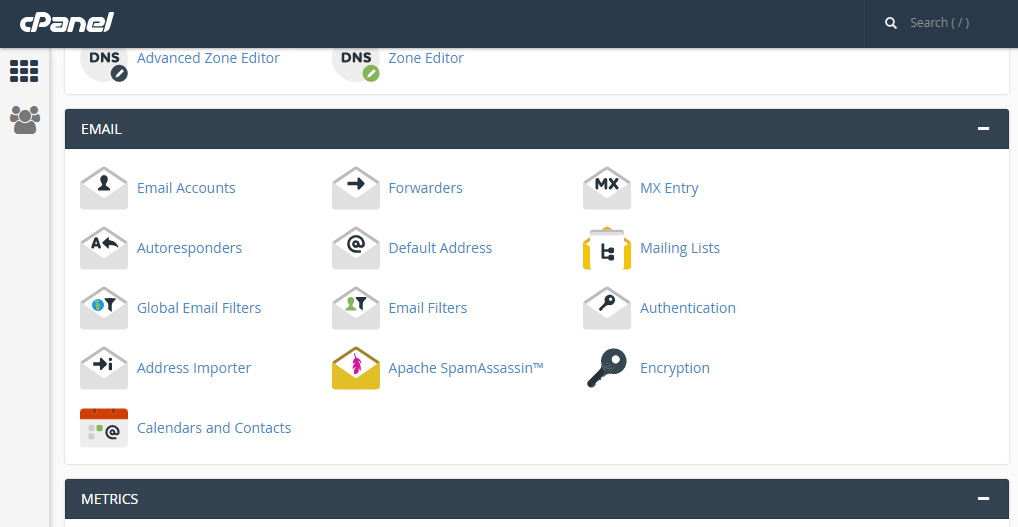
Step 1: Click on forwarder’s icon
 

Step 2: Click on add forwarder

Step 3: Add the email id that has to to be forwarded along with the domain name

Step 4: In the destination tab, add the email where the forwarded  mail should be copied and click on 'add forward'

All the emails will be forwarded to the destination mail.


  • 0 Users Found This Useful
這篇文章有幫助嗎?

Related Articles

OPEN AN EMAIL MESSAGE IN HORDE

Step 1: After logging into the Horde webmail, click on the ‘Mail’ link     Step 2: This show...

Backing up Website in cPanel

 On the home screen click on Backup wizard       Click on backup    One can either...

HIGHLIGHTING THE MESSAGE IN SQUIRRELMAIL.

Step 1: After logging to the squirrelmail web mail on the home screen, click on the ‘Options’....

Adding a Record With The DNS ZONE EDITOR in cPanel

  Step 1: After logging into cPanel, on the home screen Click on Simple Zone editor.     Step...

Adding an email in cPanel

You can add an email to your cPanel in 5 simple steps.  Step 1: Log-in to cPanel Step 2: On the...